How do I modify Glass Transmittance value?
To modify the Glass Transmittance value in registered window, please follow the following steps:
- Open the register dialog and switch to update mode. Make sure you are in window tab.
- Query the window(s) that need to be updated.
- Select the suitable Transmittance value from the Transmittance option that is available in Glazing section.
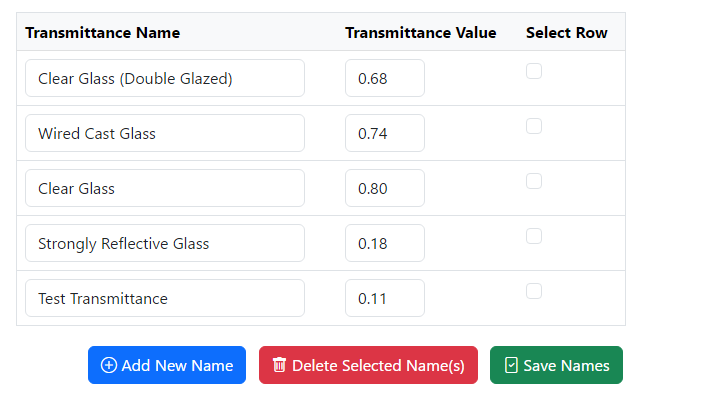
- If the transmittance value that is required to be used is not available in list, then it can be easily added by clicking
 icon next to the dropdown option.
 - The similar option can be used to update and delete the exisiting Transmittance option.
- Please, make sure to click update button to save the changes you have made.

How do I reset my Traffic Light IDs to start at 1?
- First you will need to delete all the current window markers
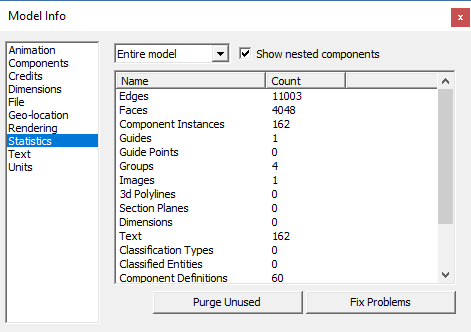
- Select “Window” then “Model info” from the menu then Statistics
- Finally click on “Purge Unused”