


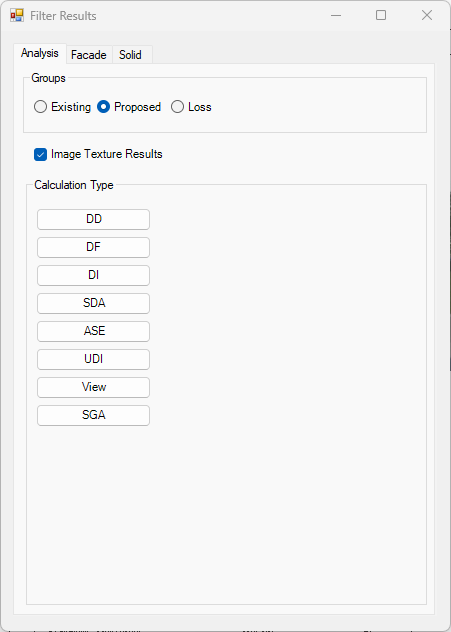
Filter Results
- Analysis Results
- Contour results can be filtered for room based calculations such as DD and DF
- They appear on plan view respective to the level where the rooms exists.
- Facade Results
- Facade results can be filtered for calculations such as VSC, APSH, DD, DF, Amenity and Solar Radiation.
- They are only visible in the 3D view which was active when the calculation was run and on Shaded Visual Style.
- Solids
- Solids results added from the Label dialog can be filtered for calculations such as VSC, APSH, DD and DF
- They are only visible in the default 3D view and on Shaded Visual Style.
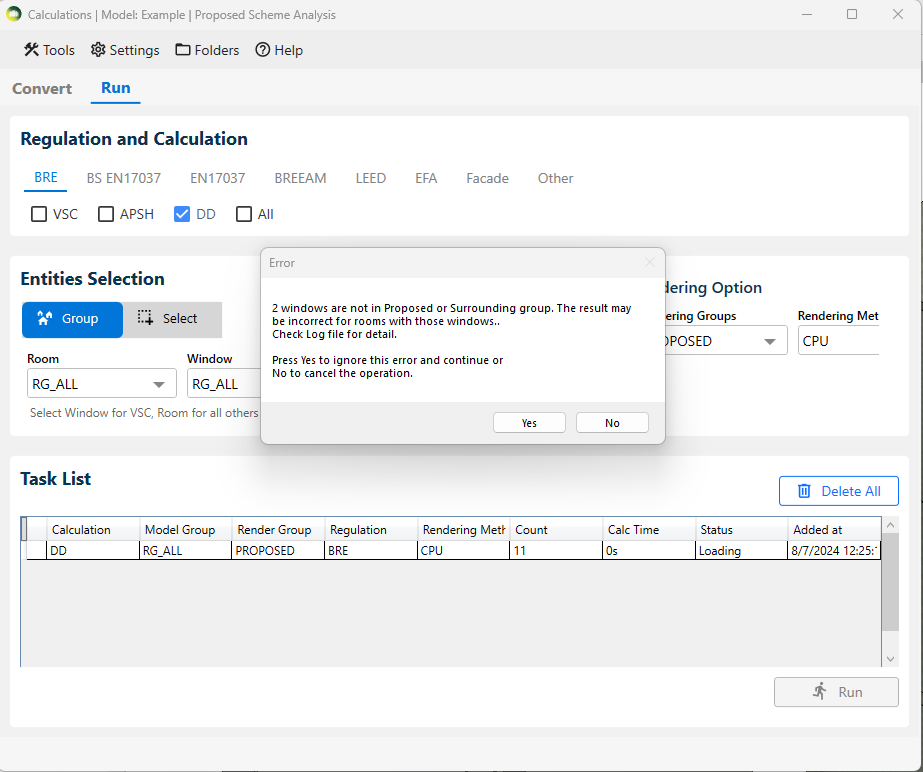
Highlight Registered Windows Not in Groups
- This command can be used to check for windows which are not added to Proposed or Surrounding group for example when they are flagged up when running room calculations.
- The command will highlight all registered windows which are not added to the Proposed or Surrounding group
Open Named Host Level floorplan
- This command can be used to open named host level floorplan for a room or a window
- The result tags are view specific are added to the named host level floorplan by default when the results are added from 3D view.
- This can be particularly helpful when there are multiple levels in a similar height and a room can be visible in more than one floorplan but the result tag will only be added to the named floorplan
Window face and ADF glazing faces
- Window face
- This command can be used to check the face whose centre is used as calculation point for VSC and APSH and ADF calculations.
- Window ADF Glazing Faces
- This command can be used to check the glazing faces used for glazed area of ADF calculations.
- The faces are added to the default 3D view.
- Remember to delete them when not needed using Delete Inserted Faces option.
