


FAQs
The objects come very small in the rendered image.
Make sure the Menu bar > Camera is set to Perspective.
How can I reduce the noise in the image?
Increase the Pixel Samples to above 100 to get a sharper image.
The noise is inversely proportional to square root of this number: four times more samples are required to decrease the error by half.
How can I change the brightness of the image?
Open the Render dialogue and press the “ ” icon to open the settings.
Set the exposure to a lower value. If the values was already set to 1, try a fraction e.g. 0.6
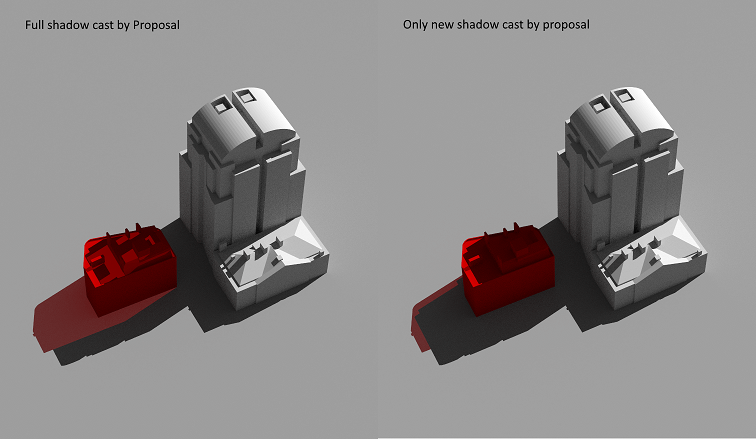
What is New Shadow Only option in render dialogue?
Tick New Shadow Only option to exclude part of the coloured shadow that already is rendered under the existing scenario.
Do I need to have a ground surface in the model for Transient Shadow analysis?
No. The software will insert a virtual ground just below the bounding box of the model.
You can remove the virtual ground by unticking the option on Render dialogue > “” > “Remove virtual ground”
